Devlog #3 — Designing a Modular, Data-driver Pickup System in UE5 (C++)
In this post, I will talk about a pickup system I implemented in Unreal Engine 5 using C++.
My goal was to design a flexible interaction system that supports many pickup behaviors while keeping it clean, modular and data-driven.
It is currently used for Flashlights as an example, but it was built to scale to consumables (e.g., coins, ammo), inventory items (e.g., keys), and other interactions actors.
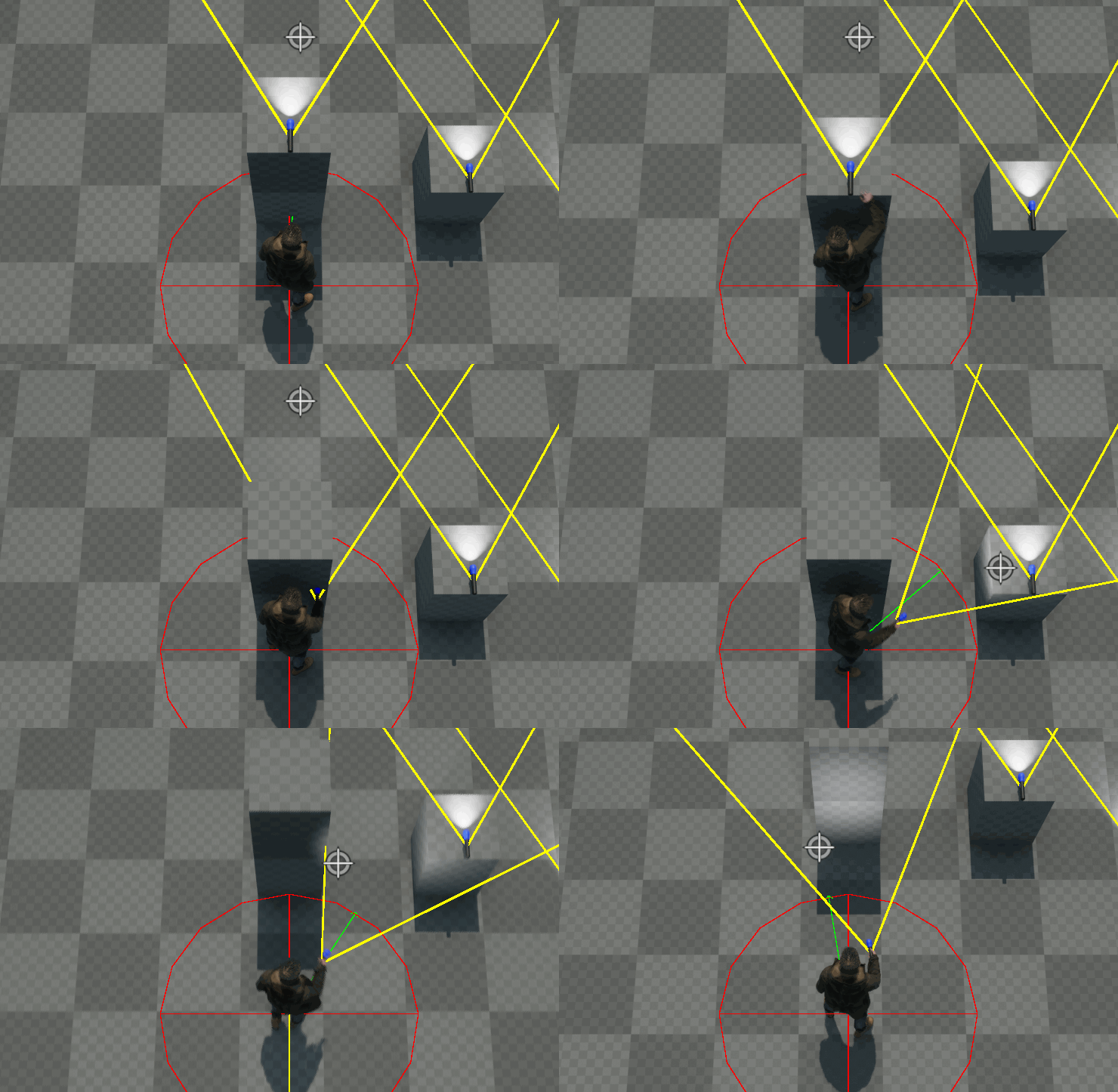
Design Goal
Before starting writing code, I put few guiling rules:
- Decouple the pickup logic from the character class, any actor (NPC, Player…) can pick up items.
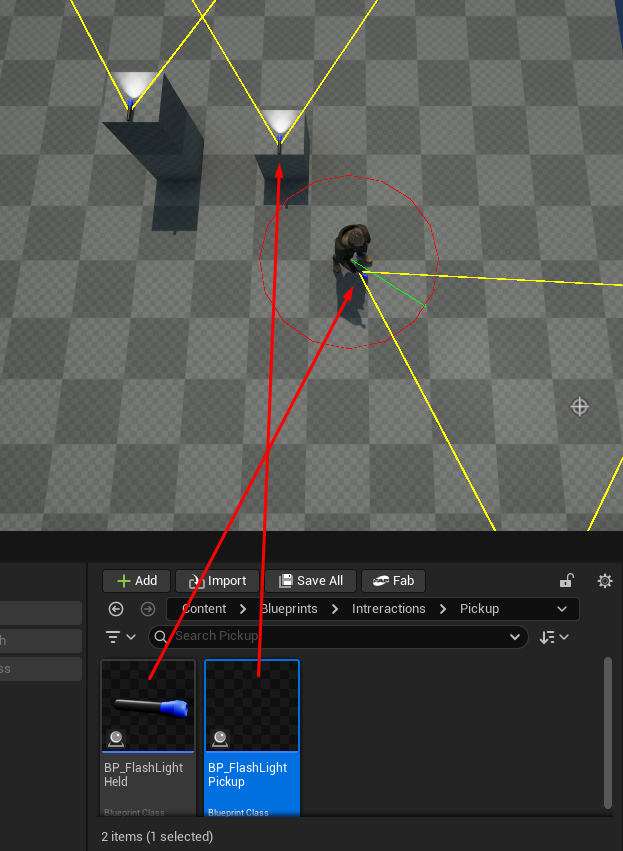
- Separate word pick actor and held actor, may seem visually identical but different actors
- World actors never decide who pick them or how
- Use components and interfaces instead of inheritance
- Make item behavior data-driven
Pickup World Actor
APickupWorldActor is a physical pickup item in the game world that player can pick up.
Its role is limited to detection and delegation.
1
2
3
4
5
6
7
CollisionBox = CreateDefaultSubobject<UBoxComponent>(TEXT("CollisionBox"));
RootComponent = CollisionBox;

OverlapBox = CreateDefaultSubobject<UBoxComponent>(TEXT("OverlapBox"));
OverlapBox->AttachToComponent(RootComponent, FAttachmentTransformRules::SnapToTargetNotIncludingScale);

PickupComponent = CreateDefaultSubobject<UPickupComponent>(TEXT("PickupComponent"));
On overlap, the actor checks the trigger rule (Auto or Interactive).
Auto means pickup is happening automatically when player overlap with the item, Interactive means the system wait for player input to pick up the item.
Auto works for coins for example, player can pick them up when he overlaps with them.
1
2
3
4
5
6
7
8
9
10
11
12
13
14
15
16
17
18
19
20
21
22
void APickupWorldActor::OnOverlapBegin(UPrimitiveComponent* OverlappedComp, AActor* OtherActor,	UPrimitiveComponent* OtherComp, int32 OtherBodyIndex, bool bFromSweep, const FHitResult& SweepResult)
{
    if (!OtherActor)
    {
        UE_LOG(LogTemp, Error, TEXT("OtherActor is null"));
        return;
    }

    if(!(PickupComponent && PickupComponent->PickupData))
    {
        UE_LOG(LogTemp, Error, TEXT("PickupComponent or PickupData is null"));
        return;
    }

    if (PickupComponent->PickupData->PickupTriggerRule == EPickupTriggerRule::Auto)
    {
        PickupComponent->TryPickup(OtherActor);
        return;
    }
    // Rest of code
}
For Interactive trigger rule, the component simply register itself using an interface.
1
2
3
4
5
if (OtherActor->Implements<UPickupRegistrarInterface>())
{
    IPickupRegistrarInterface::Execute_RegisterPickup(OtherActor, PickupComponent);
}
Pickup Registrar Component
The UPickupRegistrarComponent lives on the player and is considered as an interaction bridge.
Its responsibility is:
- Register the currently overlapped pickup.
1
2
3
4
5
6
7
8
9
10
11
12
void UPickupRegistrarComponent::RegisterPickup(UPickupComponent* Pickup)
{
    RegisteredPickup = Pickup;
}

void UPickupRegistrarComponent::UnregisterPickup(UPickupComponent* Pickup)
{
    if (RegisteredPickup == Pickup)
    {
        RegisteredPickup = nullptr;
    }
}
- Call
TryPickup()when player execute input action for pickup.
1
2
3
4
5
6
7
8
void UPickupRegistrarComponent::TryInteract() const
{
    if (RegisteredPickup)
    {
        RegisteredPickup->TryPickup(GetOwner());
    }
}
The PickupCompoenent
The UPickupComponent is the core part of the pickup system, it is added to any actor that is supposed to be picked up by the player.
Its primary responsibility is to handle the transition of an actor from a item laying in the world game to an item held,
consumed or stored in an inventory by the player.
Responsibilities
The main function of this component is TryPickup(AActor* Receiver), when called it do some checks and actions:
- Validation: It checks if the receiver (player) is valid and implements the
IPickupReceiverinterface, in other words checks if player is sponge worthy 🤣! - Second Validation: I check if the player can receive the item using
CanReceivePickup() - How the item is consumed?:
- Hold: For items that the player will physically carry, like a flashlight in my case.
- Consume: Items that will be immediately consumed (e.g., health, ammo…)
- Store: Items that should go to the inventory (e.g., keys)
- Cleanup: After pickup, it calls
OnPickupReceivedand destroy the world pickup item (Owner actor) usingGetOwner()->Destroy()
1
2
3
4
5
6
7
8
9
10
11
12
13
14
15
16
17
18
19
20
21
22
23
24
25
26
27
28
29
30
31
32
33
34
35
36
37
38
39
40
41
42
43
44
45
46
47
48
49
50
51
52
53
54
55
56
57
58
59
60
61
62
63
void UPickupComponent::TryPickup(AActor* Receiver)
{
    if (!PickupData || !Receiver)
    {
        UE_LOG(LogTemp, Error, TEXT("[PickupComponent] PickupData or Receiver is null"));
        return;
    }

    if (!Receiver->Implements<UPickupReceiver>())
    {
        UE_LOG(LogTemp, Error, TEXT("[PickupComponent] Receiver does not implement IPickupReceiver"));
        return;
    }

    if (!IPickupReceiver::Execute_CanReceivePickup(Receiver, PickupData))
    {
        UE_LOG(LogTemp, Error, TEXT("[PickupComponent] PickupData cannot be received by Receiver"));
        return;
    }

	switch (PickupData->ConsumeRule)
	{
	case EPickupConsumeRule::Consume:
		// Consume item implementation
		break;
	case EPickupConsumeRule::Hold:
		UPickupHolderComponent* Holder;
		if (Receiver->Implements<UPickupHolderGetter>())
		{
			Holder = IPickupHolderGetter::Execute_GetItemHolderComponent(Receiver);
		}
		else
		{
			Holder = Receiver->GetComponentByClass<UPickupHolderComponent>();
		}

		if (Holder != nullptr)
		{
			if (PickupData->HeldActorClass)
			{
				Holder->TryHold(PickupData);
				UE_LOG(LogTemp, Log, TEXT("[PickupComponent] TryHold successufly called"));
			}
			else
			{
				UE_LOG(LogTemp, Error, TEXT("[PickupComponent] PickupData does not have HeldActorClass"));
			}
		}
		else
		{
			UE_LOG(LogTemp, Error, TEXT("[PickupComponent] Receiver does not have ItemHolderComponent"));
		}
		break;
	case EPickupConsumeRule::Store:
		// Inventory code
		break;
	}


	IPickupReceiver::Execute_OnPickupReceived(Receiver, PickupData);

	GetOwner()->Destroy();
}
Data-Driver Configuration
Every Pickup component hold a reference to its data UPickupDataAsset* PickupData, I can easily create any new item in editor in
an easy and flexible way.
The data asset defines:
- Item name and ID
- How it will be triggered (Auto or Interactive)
- Consumption strategy (Hold, Consume or Store).
- Classes of actors to spawn for world and held actors.
1
2
3
4
5
6
7
8
9
10
11
12
13
14
15
16
17
18
19
20
21
22
23
24
25
26
27
UCLASS(BlueprintType)
class UGDCORE_API UPickupDataAsset : public UDataAsset
{
	GENERATED_BODY()

public:
	UPROPERTY(EditDefaultsOnly)
	FName PickupID;

	UPROPERTY(EditDefaultsOnly)
	FName PickupName;

	UPROPERTY(EditDefaultsOnly)
	EPickupTriggerRule PickupTriggerRule = EPickupTriggerRule::Interactive;

	UPROPERTY(EditDefaultsOnly)
	EPickupConsumeRule ConsumeRule;

	UPROPERTY(EditDefaultsOnly, meta = (EditCondition = "ConsumeRule == EPickupConsumeRule::Store", EditConditionHides))
	int32 Amount = 1;

	UPROPERTY(EditDefaultsOnly)
	TSubclassOf<AActor> WorldActorClass;

	UPROPERTY(EditDefaultsOnly)
	TSubclassOf<AActor> HeldActorClass;
};
World vs. Held Distinction
The actor that is on the ground ready to be picked up (World item) is not like the actor held by the actor (Held item), even if visually identical.
The world actor may have a spinning mesh, or a particle effect, and a collision box, the held actor may not have any of that, it may have other gameplay-specific logic (e.g., Flashlight, Weapon).
Interaction Alignement Component
I created this component to position character before playing the pickup animation, it is added to the player (or character).
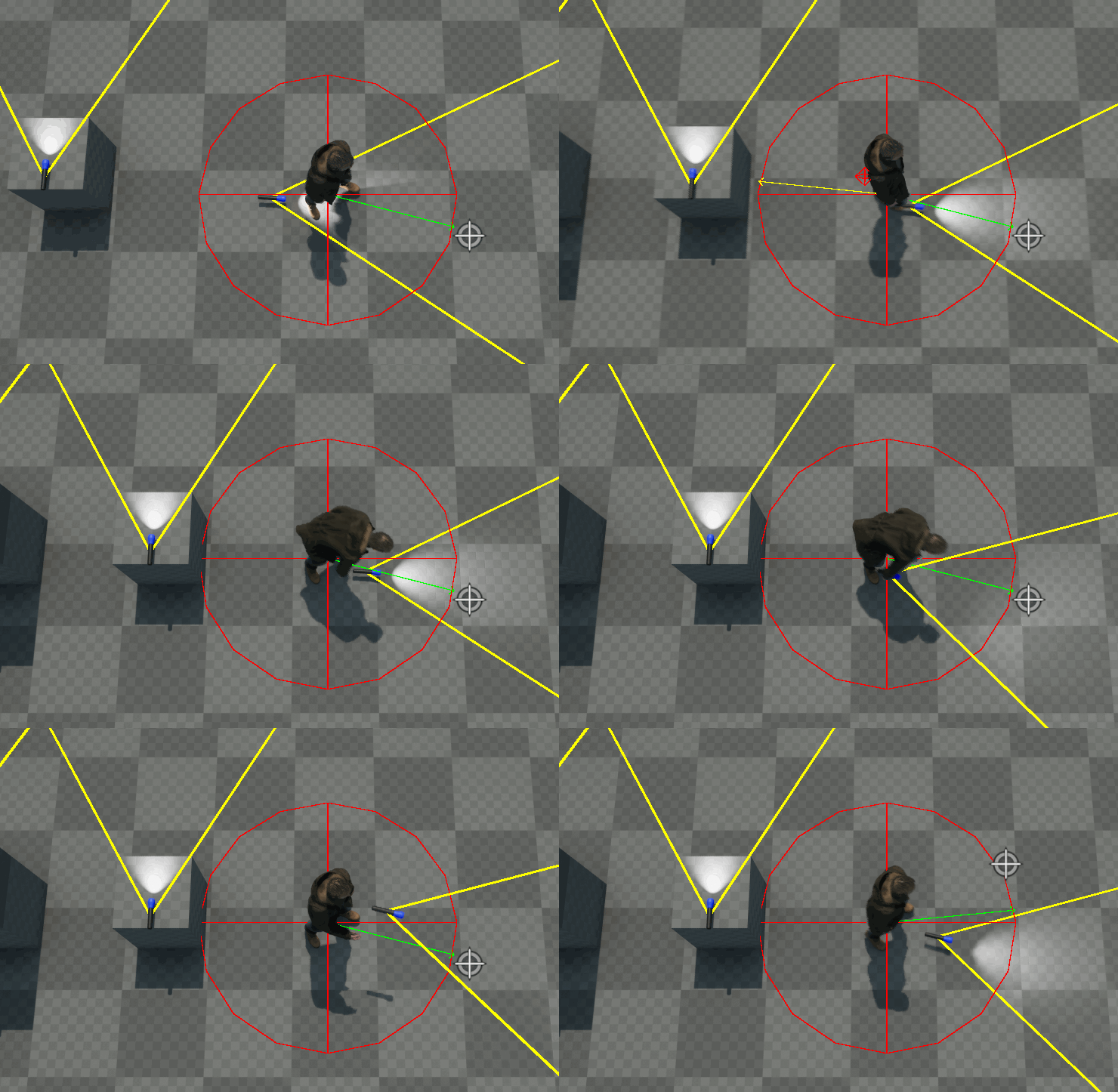
It will be actually used in so many other interactions, like when opening a door, or interacting with a lever.
It has few functions:
- StartAlign(const FVector& TargetLocation, const FRotator& TargetRotation)
- CancelAlign()
- UpdateAlign()
The most important bit is UpdateAlign, it uses AddInputMovement to simulate joystick or WASD inputs, this makes AnimInstance happy
and character can walk normally while aligning.
1
2
3
4
5
6
7
8
9
10
11
12
13
14
15
16
17
18
19
20
21
22
23
24
25
26
27
28
29
30
31
32
33
void UInteractionAlignComponent::UpdateAlign()
{
	ACharacter* Character = Cast<ACharacter>(GetOwner());
	if (!Character)
	{
		UE_LOG(LogTemp, Error, TEXT("[InteractionAlignComponent] Character is null."));
		return;
	}

	FVector ToTarget = AlignTargetLocation - Character->GetActorLocation();

	DrawDebugSphere(GetWorld(), AlignTargetLocation, 10.0f, 4, FColor::Red, false, 0.0f);

	float Distance = ToTarget.Size();
	if (Distance > 5.0f)
	{
		Character->AddMovementInput(ToTarget.GetSafeNormal(), 1.0f);
	}

	FRotator TargetRot = FMath::RInterpTo(Character->GetActorRotation(),
		AlignTargetRotation,
		GetWorld()->DeltaTimeSeconds,
		8.0f);

	Character->SetActorRotation(TargetRot);

	if (Distance < 5.0f)
	{
		CancelAlign();
		OnAlignFinished.Broadcast();
		OnAlignFinished.Clear();
	}
}
After finishing aligning, an event is fired OnAlignFinished, it is bound to a play montage function in most cases.
Conclusion
The system works like a charm, and it’s easy to add new items, no need to change anything in the code. But as anything in this world, there is room for improvements, and adding other features. The one thing that is a must-have for now, is a visual feedback for pickup actors, an outline or a circle over the item, showing that we can pick it up.
That’s all folks, thanks for reading!